Full computer backup for Windows
Keep an image of your Windows PC.
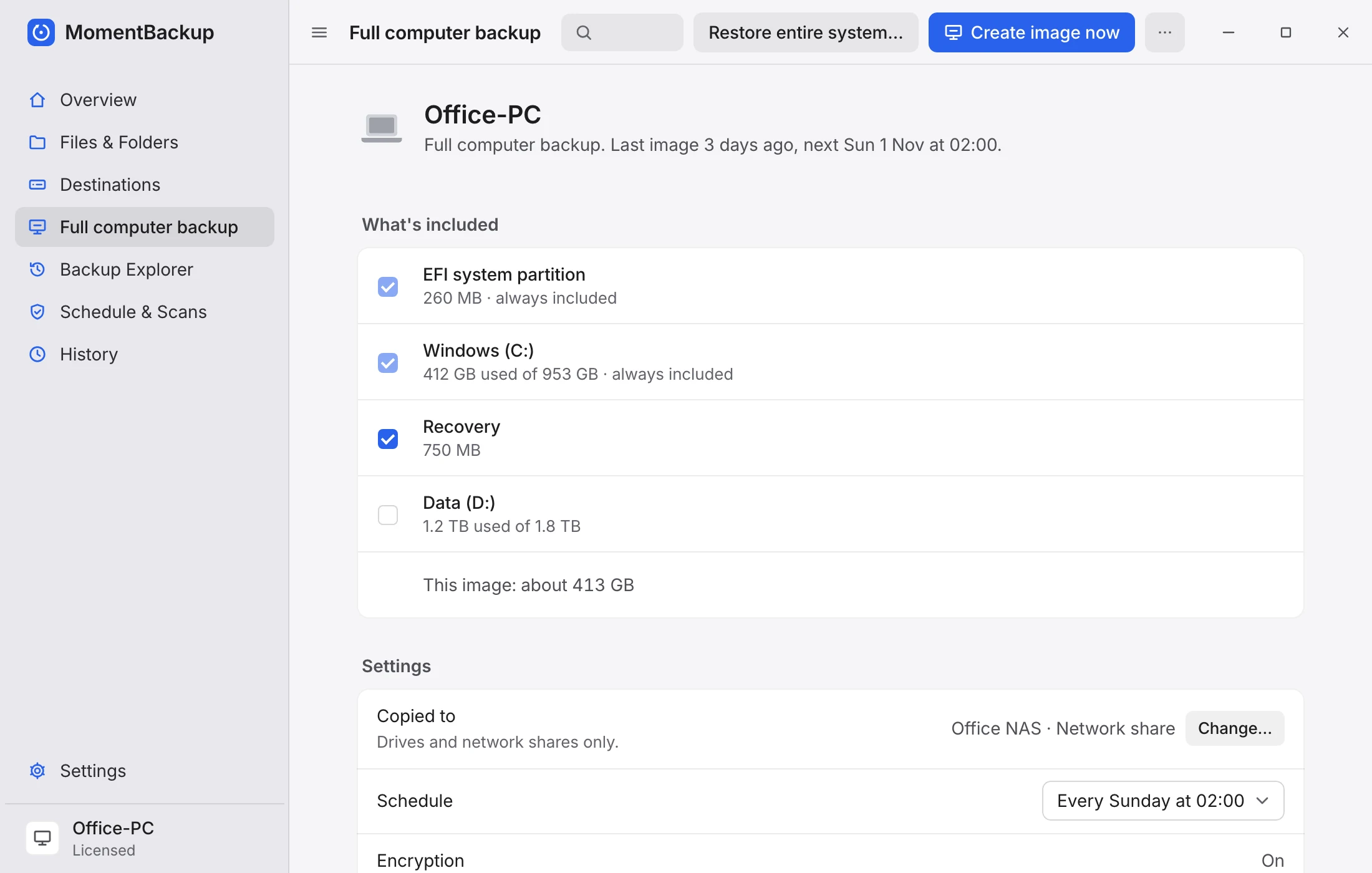
MomentBackup can keep a system image of your Windows computer, with its applications, settings, and files. You can browse the image and restore files from it.
Download MomentBackup7-day trial · No credit card · From US$49, paid once
What full computer backup does
Full computer backup is available on Windows. File versions work on Windows, macOS, and Linux.
Capture the whole computer
Keep Windows, applications, settings, and files together in one system image.
Use your own storage
Save the image to a local or external drive, or a connected NAS.
Check the image
MomentBackup checks stored image data for missing or damaged blocks.
Restore files from it
Open the image in the Backup Explorer. Restores never need a license.
Make a system image of this PC.
Try the full Windows product free for 7 days. No credit card.
Your backups, keys, and storage credentials never enter your MomentBackup account.